Building a RAG Chatbot application
Using Anthropic's Claude, Langchain, Hugging Face and ChromaDB
As a Design Systems lead for a large multi-national corporation, I spend significant time ensuring web components meet accessibility requirements and answering accessibility questions from multiple teams across various channels that go beyond the scope of just our components. The process typically involves understanding the problem the team is having, searching W3C documentation, formulating answers, and tailoring responses to specific use cases. This is a time-consuming cycle that repeats across numerous teams.With the advent of advanced language models like Anthropic's Claude, as well as corporations starting to adopt the use of these tools, I wondered what the feasibility was of creating a specialized chatbot that provides accurate, cited answers from a specific knowledge base, reduced hallucinations and ultimately reduced repetitive research while maintaining reliability.
Why not just use one of the well-known LLM Chatbots?
The use of Retrieval-Augmented Generation (RAG) was a result of some citation accuracy issues that I encountered when using common LLM Chatbots such as ChatGPT.[1] Even after creating Custom GPT's and giving the relevant links to reference the W3C Web Accessibility Initiative Standards & Guidelines, the LLM would always give an answer, even if it wasn't quite right. However my biggest concern was that it would not always correctly cite its sources. The citations would be in quotes, and would be pretty close. But pretty close is not a citation, it's a paraphrase. And LLM's are really good at paraphrasing / summarising complex ideas and information.What is RAG?
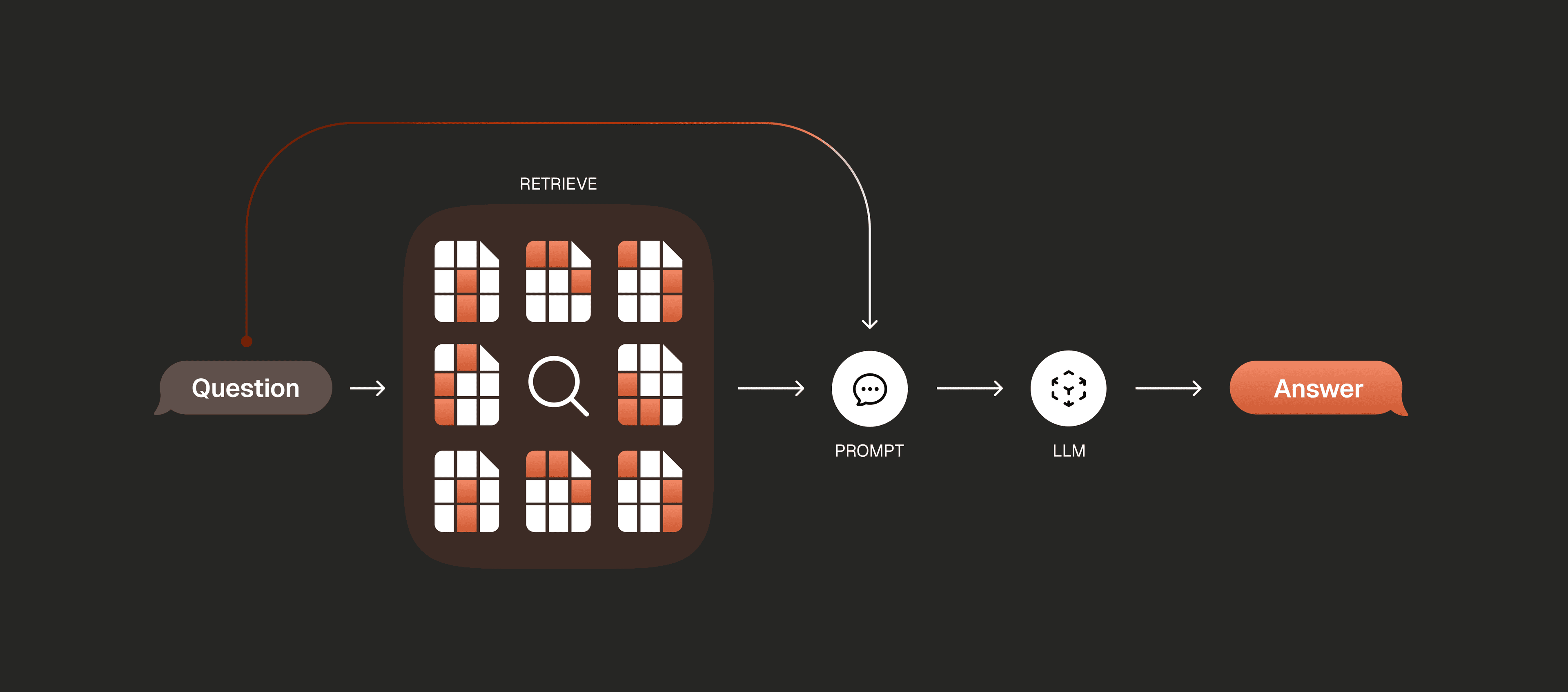
Retrieval-Augmented Generation (RAG) combines a retrieval system with a generative model to produce accurate, grounded responses.The process is as follows:- Prepare the data and create a local database of that data
- Set up a method to query that database for relevant information
- Craft the response
Preparing the data
Ideally you want to work with data that is stored as markdown (.md), but any text format will do. As I wanted to generate markdown files for the following url: www.w3.org/WAI/standards-guidelines/ as well as all related urls, I leveraged an online tool from an independant developer: HTML-to-Markdown. It appears that this tool has since not been updated, but there are more manual ways to convert URLs to markdown[2].After downloading the single markdown file of all the crawled urls, I used themdsplit python library to split the docs into separate .md files. These files are written to subdirectories representing the document's structure.Once I have my data in markdown format, I place the separated files into the projects' data/ folder.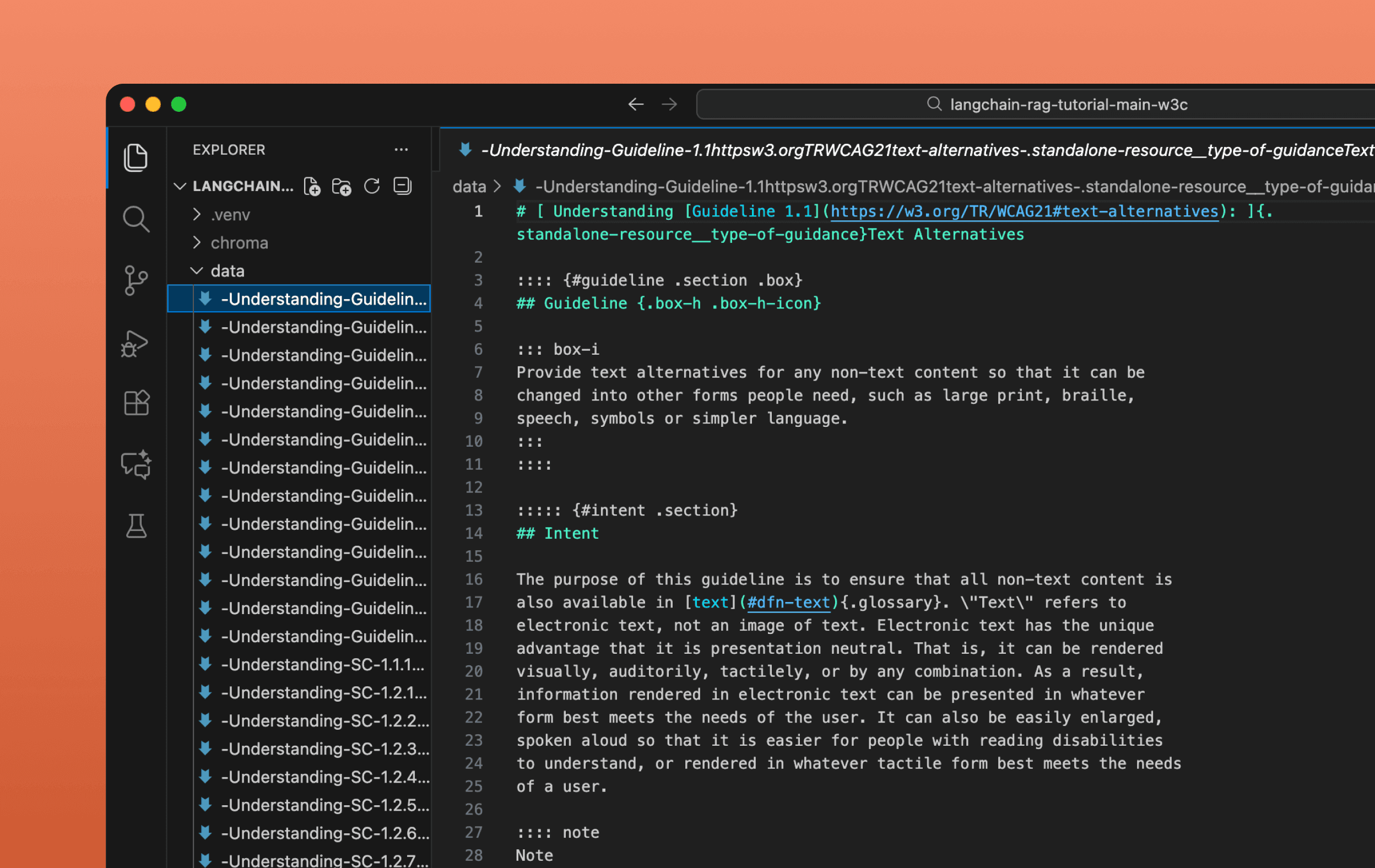
Indexing / Building the Database
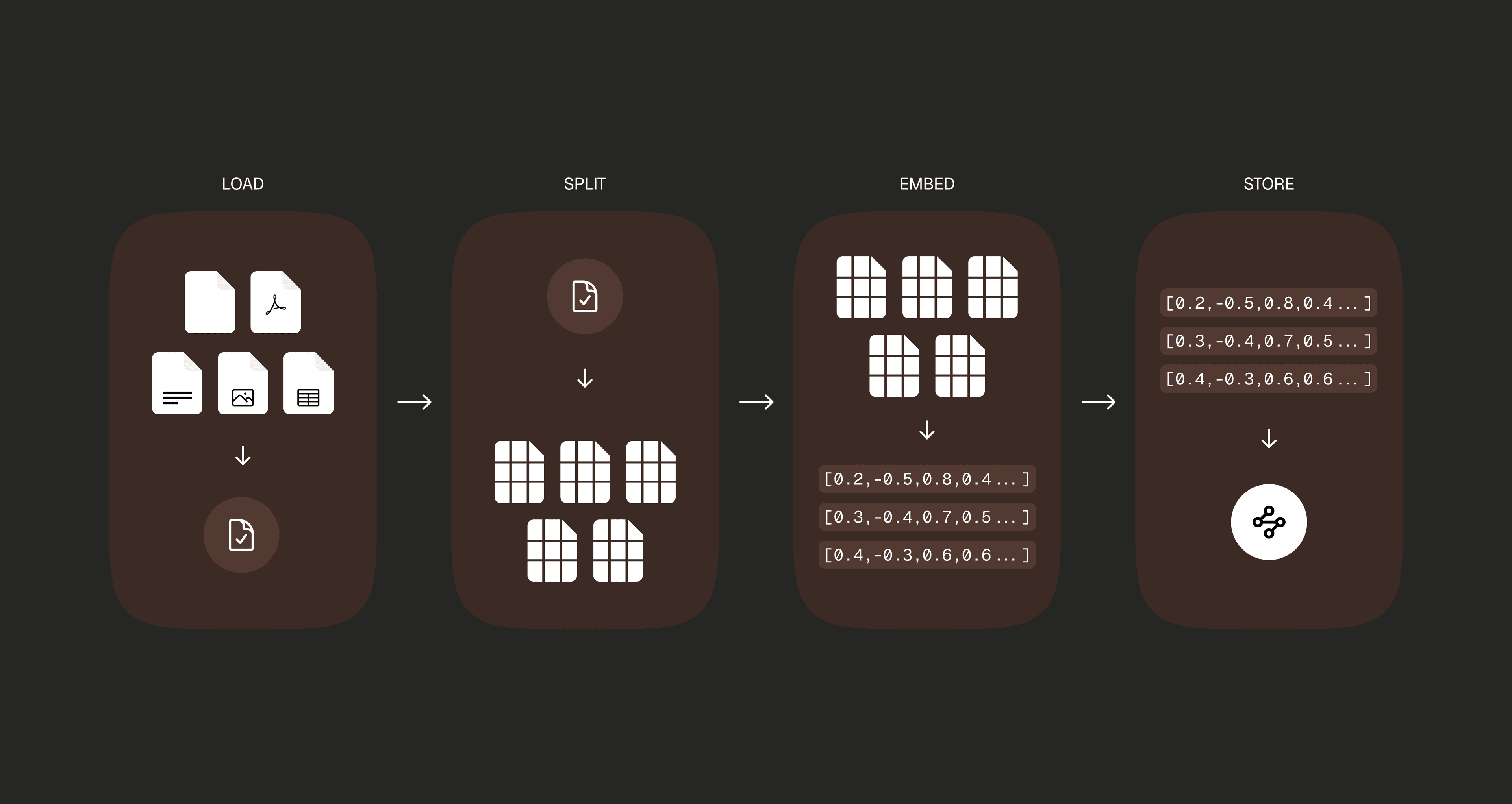
By running the command below:python create_database.pychroma/ that contains a searchable database of our documents. How it works under the hood:- Reads our documents from the
data/folder - Breaks them into chunks
- Converts each chunk to numbers using HuggingFace embeddings
- Stores everything in ChromaDB
Retrieval and Generation
Lorem ipsumWhat's next?
...TBDResources
- Zhang M, Zhao T. Citation Accuracy Challenges Posed by Large Language Models JMIR Med Educ. 2025 Apr 2;11:e72998